


Padmate
Padmate ViewMate AI Smart Camera Glasses with 1080P HD Recording & Voice Control
Padmate ViewMate AI Smart Camera Glasses with 1080P HD Recording & Voice Control
Não foi possível carregar a disponibilidade de retirada.
Description
Description
Introducing the next-gen wearable that redefines smart audio, imaging, and AI interaction - Padmate ViewMate smart AI Bluetooth Camera Glasses.
Featuring a Sony 8MP HD camera, AI voice assistant, 1080p video recording, 2K Photo Shooting, AI Vision Recognition, and 26-language real-time translation, Padmate ViewMate redefines how you capture, connect, and communicate — completely hands-free.


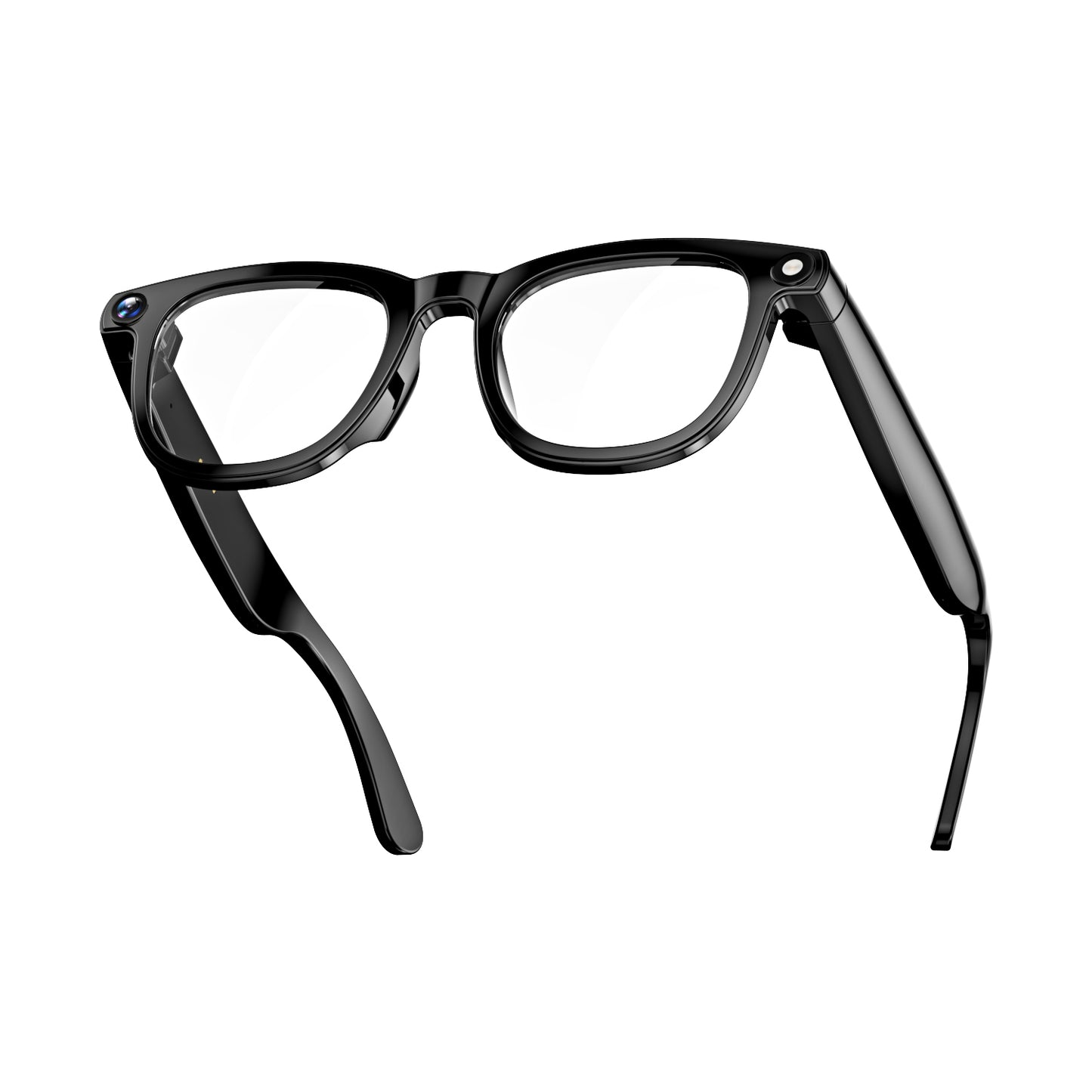
Padmate ViewMate
Smart AI Bluetooth Camera Glasses
See • Hear • Capture • Translate — All in One Frame.
Padmate ViewMate
Smart AI Bluetooth Camera Glasses
See • Hear • Capture • Translate — All in One Frame.

It’s not just glasses, it's intelligence in your line of sight.
CAPTURE & RECORD
Capture life as it happens with hands-free photo and video recording.
Padmate ViewMate’s Sony IMX219 8MP camera lets you take photos or record videos naturally, without reaching for your phone. Designed for everyday moments, it keeps your hands free while preserving what matters—exactly as you see it.


INTERACT
HeyCyan AI
Interact naturally through voice-driven intelligence.
With built-in voice wake-up and smart AI interaction, Padmate ViewMate responds to your commands in real time.
Ask questions, trigger actions, or control features effortlessly—no screens, no distractions, just intuitive interaction.
| 🧠 LEARN ABOUT WHAT YOU SEE | 🌍 TRANSLATE TEXT OR SIGNS |
|---|---|
| “Hey Cyan, look and tell me about this building.” | “Hey Cyan, take a photo and translate this into English.” |
| 📸 CAPTURE THE MOMENT | 📞 MAKE CALLS OR SEND MESSAGES |
| “Hey Cyan, record a video with my glasses.” | “Hey Cyan, call Mom.” |
| 🎵 PLAY MUSIC OR PODCASTS | 🗓️ GET DAILY UPDATES |
| “Hey Cyan, what song is this?” | “Hey Cyan, what’s the weather like today?” |
| 🧠 LEARN ABOUT WHAT YOU SEE |
|---|
| “Hey Cyan, look and tell me about this building.” “Hey Cyan, describe what you see.” |
| 📸 CAPTURE THE MOMENT |
| “Hey Cyan, take a photo with my glasses.” “Hey Cyan, record a video with my glasses.” |
| 🎵 PLAY MUSIC OR PODCASTS |
| “Hey Cyan, play my favorite playlist on Spotify.” “Hey Cyan, pause the music.” “Hey Cyan, what song is this?” |
LISTEN
Enjoy music and calls without tuning out the world. Padmate ViewMate’s open-ear speakers deliver clear, focused sound with enhanced bass and volume, designed for everyday wear - indoors or out.
Directional audio keeps your listening experience private, comfortable, and naturally immersive.


TRANSLATE
Get basic language assistance on the go. With AI-driven conversation and live translation, Padmate ViewMate helps support simple cross-language communication when needed.
TOUCH CONTROL
A built-in touch area allows effortless control of calls, music, and volume through simple gestures—fast, intuitive, and always within reach.


SHARE
Supports high-speed 5GHz Wi-Fi transmission, allowing photos and videos captured by the glasses to sync to your mobile app instantly.
Whether you're shooting long videos, or high-resolution images, 5GHz Wi-Fi ensures faster, more stable wireless transfer with lower latency.
This means no waiting, no cable connection, and no manual exporting - your content appears on your phone in real time, ready for editing, sharing, or cloud backup.

First-Person POV captures what you see...
for Pet Moments, Travel & Adventure, Daily Vlogging & Sharing...


Stuck in Your Phone? Wanna capture what you see?
With Padmate ViewMate, your eyes are the lens. Capture perfect, stable photos and videos without ever touching your phone.
Just say, “Hey Cyan, take a photo with my glasses.” or “Hey Cyan, start recording a video.”
Reclaim your hands — and your moment.
See something? Just ask your glasses.
AI Vision Recognition & Instant Voice Answers
Just Double Tap - your glasses know. The built-in AI identifies what you see and tells you instantly.


Wearing them? You’ll barely feel it.
Playing on? Up to 9 hours nonstop.


See How It Looks On


See How It Looks On


See How It Shoots
-by Padmate ViewMate


Need a change? Just swap your lenses.

🕶 Blue Light Lenses
Blue light lenses reduce eye strain and visual fatigue during long hours of screen time. They filter harmful blue light while maintaining true color balance and visual clarity.

🌤 Sun Lenses
Sun lenses provide advanced eye protection in bright conditions while still maintaining clarity and definition in shadows. With 100% UVA & UVB protection.
What they says...
📊 Technical Specifications
| Main Chipset | AI Processor | Camera | Connectivity |
|---|---|---|---|
| JL7018F (Stereo) | Allwinner V821 | Sony IMX219 – 8 MP | WiFi 5 GHz + Bluetooth 5.3 |
| Battery | Speaker | Audio SNR | Bluetooth Range |
| 3.8 V / 290 mAh | 1508 H3.0 | –89 dBV | ≥ 10 m |
| Magnetic Charging | Playtime (music) | Weight | WIFI |
| < 2 hours | ≈ 9 hours (at 80% volume) | 42.5g | 5GHz transmission |
| Functions | Photo / Video / Music Control / Calls | WiFi Transfer / Touch & Voice Control | AI Image Recognition / 26-Language Translation/ AI Chat |

How to use Padmate ViewMate Glasses?
Step 1
Download “HeyCyan” app

Search it on Google Play or your App Store or Scan the QR code.
Available for Android 10.0+, iOS 13.0+, and HarmonyOS
Step 2
Connect your Glasses

Model name: CY 01
Step 3
BT Connection

💡 Friendly Reminder: If Bluetooth connection fails, make sure it’s not connected to another device. Disconnect other devices, then try again.
Step 4
Explore your Glasses

Take photos. Record videos. Recording
📸If you want to take a photo or answer a call,
→ Short Press the Power Button once.

🎥If you want to record a video,
→ Quickly short Press Power Button twice.

🤖If you want to use AI image recognition,
→ Quickly Short Press the Rear Button twice.

🎥If you want to record audio,
→ Long Press 3s the Rear Button.


FAQ
What situations are Padmate ViewMate smart glasses most useful for?
Users tell us these are the most valuable moments:
- When you want to record life without holding a camera
- When you’re with pets or kids and need both hands
- While traveling, hiking, or exploring new places
- Creating POV videos for TikTok, Instagram, YouTube
- When you need real-time translation during travel or business
- When you want to listen to music while staying aware of your surroundings
How do I activate the voice assistant?
Use the wake word “Hey Cyan”,
for example:“Hey Cyan, take a photo with my glasses.”
You can control everything without touching your phone:
1) Start/stop recording;
2) Take photos/videos;
3) Play music;
4) Ask questions;
5) Get assistance while your hands are busy.
It’s ideal for cooking, cycling, training, and travel.
How long can I record videos?
Default recording length: 3 minutes
Maximum recording length: 12 minutes.
The recording duration can be adjusted in the settings.
Open the APP → Home → “My Glasses” → Recording Settings → Video Duration (choose from 15s to 12min).

How to replace the glasses lens?
Watch video here:
https://youtu.be/GYpW9JJez9w
Why do touch controls sometimes feel less responsive?
Touch controls work on the correct touch area. When a touch is successfully recognized, you will hear a “dong” sound as confirmation.
When adjusting volume during music playback, please slide slowly after hearing the sound. The touch response may require a few attempts, and we are actively working on improving sensitivity in future versions.
No sound from the glasses?
- Make sure the glasses are powered on and connected to your phone
- Check if the glasses are connected in your phone's Bluetooth settings
- Try unpairing and re-pairing the glasses
- Restart both the glasses and your phone's Bluetooth, then rebind the glasses
Do smart glasses need to be connected to a phone?
Some functions (such as data sync, calls.photo transfer) require Bluetooth/Wi-Fi connection with the app, but basic functions(like taking photos, recording audio or video)can be used independently after initial app connection.
Bluetooth not connecting?
- Ensure the glasses are in pairing mode(powered on with indicator flashing)
- Delete the glasses from your phone's Bluetooth history (remove old devices in settings). Restart both your phone and the glasses).
- Try connecting with another phone to identify whether the issue is with the glasses or phone
- Perform a factory reset
What if the local storage is full?
It is recommended to regularly sync data to the app.
After syncing: Content is uploaded to the app and local storage on the glasses will be automatically cleared to free up space.